Meet the Team
Melanie Pizano
Project Manager & Data Visualization Specialist
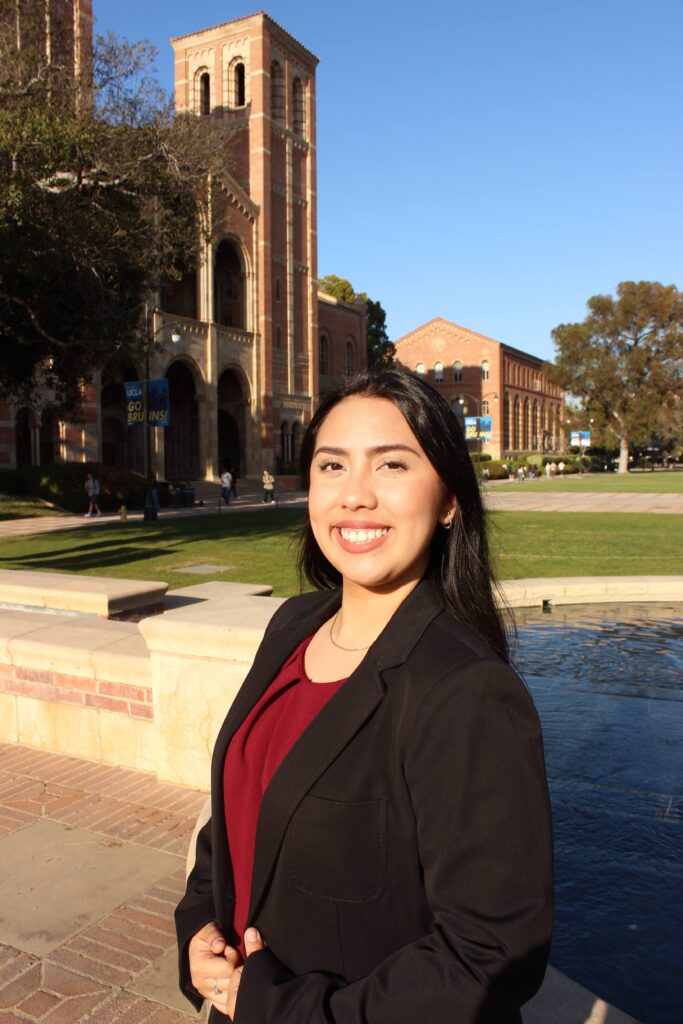
Melanie is finishing up her last quarter as a first-year undergrad at UCLA majoring in Statistics and Data Science with a Digital Humanities minor. She oversaw the planning and execution of the project by ensuring that the team kept up with the schedule and met goals in an organized manner. She guided the team through communication while documenting and delegating tasks to the group members. As the data visualization specialist she made sure the visualizations were clean and understandable and provided suggestions to structure the creations. She was in charge of refining the visualizations to provide concise answers to our questions.
Alysa Ngo
Data Specialist

Alysa is finishing up her last quarter here at UCLA, double majoring in Sociology and Math/Econ. Throughout this project she was tasked with refining, cleaning, and augmenting the group’s dataset. She fine-tuned her skills with various applications such as OpenRefine and Breve to contribute to the team’s work workflow by helping maintain clean and well structured data.
Nick Chung
Web Designer & Editor

Nicholas is a fourth-year student completing his final summer quarter (2025) at UCLA, majoring in Design | Media Arts with a minor in Economics. As the team’s Web Designer and Editor, Nick is responsible for shaping the online presence of the project, ensuring the website effectively communicates the team’s research while maintaining a clean, accessible, and engaging user experience. In addition, Nick oversees content editing for clarity, visual hierarchy, and accessibility, ensuring that complex economic data and insights are presented in a clear and engaging manner for a wide audience.
Jiyeon Cheon
Content Developer

Jiyeon is a fourth-year student majoring in Data Science & Statistics, currently in her final quarter at UCLA. As the Content Developer for the group project, Jiyeon contributed by helping to organize and develop the content, making sure that the information was clear and aligned with the team’s objectives. Jiyeon is responsible for collaborating with other group members to support the overall flow of the project and provide input when needed to improve the clarity and coherence of the materials.
About the Project
Sources
Our team utilized “Download AI, ML, Data Science Salary Data” which was made available on aijobs.net in order to conduct research on how salary distribution in the tech industry varies across experience levels, employment types, and geographic regions. This allowed us to analyze patterns in compensation and explore how hierarchical structures and remote work trends influence economic mobility within data science roles. In addition, our secondary sources outside our dataset primarily consisted of scholarly articles and journals from varying credible sources. We delve into twelve articles, revealing that the compensation in data science is shaped by much more than skill or experience alone. While salaries have increased between 2020 and 2025, which was driven by the growth of remote work, AI tools, and industry disruptions, pay remains unevenly distributed across experience levels, employment types, and geographic regions.
Processing
To provide background information on our topic we used a timeline to show events leading up to and during the time span that our dataset covered. We used TimelineJS, an open-source tool by Northwestern University’s Knight Lab, to process our data from an organized google sheet into an interactive timeline to place into this website.
The first thing we did to the dataset was clean it but before that we had to get a general overview of how the data looked and was organized. We used Breve, a data visualization tool by Stanford’s Humanities + Design Lab, to help us see how messy or clean our data was. It allowed us to detect errors and automatically correct them as we went through to clean the data. To automate our cleaning process, we relied on OpenRefine, an open-source tool to structure messy data before analysis. Along with detecting and fixing inconsistencies such as misspellings and formatting issues, we also clustered many similar values to be able to better visualize our graphs later on.
To create our visualizations we used Tableau, a powerful data visualization software that turns raw data into visual stories. The decisions on what type of graph to use was guided by our team’s knowledge of statistics as seen in our credentials in the Team Member description section. We used a variation of different graph types: bar graphs make comparisons between categories clear, line graphs help us focus on trends and changes over time, scatterplots uncover relationships between two continuous variables, and treemaps show us how parts fit together as a whole. To improve readability and effectiveness of our visualization we incorporated data grouping, outlier exclusion, descriptive statistics, filtering, scale adjustments, and color-based differentiation.
We used three tools to create our maps, one being Tableau. By designating our “employee_residence” or “company_location” variable as a geographic dimension, we were able to map out our observations into a map. To create our visual map, we used Flourish, a simple online tool for data visualization. We uploaded a dataset with country-level renewable energy production from 2020 to 2025. Using Flourish’s bubble map template, we mapped each country’s location and set the bubble size to represent the total renewable energy output (in GWh). This helped us highlight which countries lead in renewable energy production and which produce less. The varying bubble sizes clearly show regional differences, and Flourish’s interactive features allow users to hover over bubbles to see exact values, making the map both clear and engaging. Another tool we used was Palladio, a mapping tool by Stanford’s Humanities + Design Lab, by assigning variables to shapes to be placed on land pertaining to their respective locations in the map layers.
Presenting
To effectively showcase the events and insights from our dataset, we utilized several specialized digital tools, each tailored for a different stage of data analysis and visualization.
- Interactive Timeline:
We used TimelineJS to create a chronological timeline that highlights major events and important developments in our dataset. By organizing our data in a Google Sheet and formatting it according to TimelineJS’s template, we transformed the information into an interactive timeline embedded on our website.
- Data Exploration and Cleaning:
To quickly assess the structure and quality of our data before analysis, we used Breve. OpenRefine further helped us automatically clean the data by removing duplicates, correcting errors, and resolving inconsistencies. This ensured that our analysis was based on reliable and accurate data.
- Charts and Graphs Visualization:
We created a variety of visualizations in Tableau—including bar graphs, line charts, scatterplots, and treemaps—choosing the most effective type for each analytical purpose. We applied techniques such as data grouping, outlier removal, and color differentiation to enhance clarity and highlight insights.
- Geographic Mapping:
For mapping geographic variables such as “employee residence,” “company location,” and renewable energy production by country, we utilized Tableau, Flourish, and Palladio. Interactive maps and bubble charts allowed us to illustrate regional trends and differences in the dataset effectively.
By combining the strengths of multiple visualization platforms, we improved both the reliability and the impact of our analysis. These tools enabled us to communicate insights transparently and made our findings accessible to a wide audience.
Acknowledgements
We want to acknowledge the tools and resources that made this project possible. We used TimelineJS from Northwestern University’s Knight Lab to create an interactive timeline from our organized data. To explore and clean our dataset, we used Breve and OpenRefine from Stanford’s Humanities + Design Lab, which helped us spot errors and fix inconsistencies. For our charts and graphs, we relied on Tableau to visualize the data clearly, using different graph types and visual techniques to improve understanding. For mapping, we used Tableau, Flourish, and Palladio to plot geographic data effectively. These tools were essential in helping us organize, analyze, and present our findings.